What Is Technical SEO?
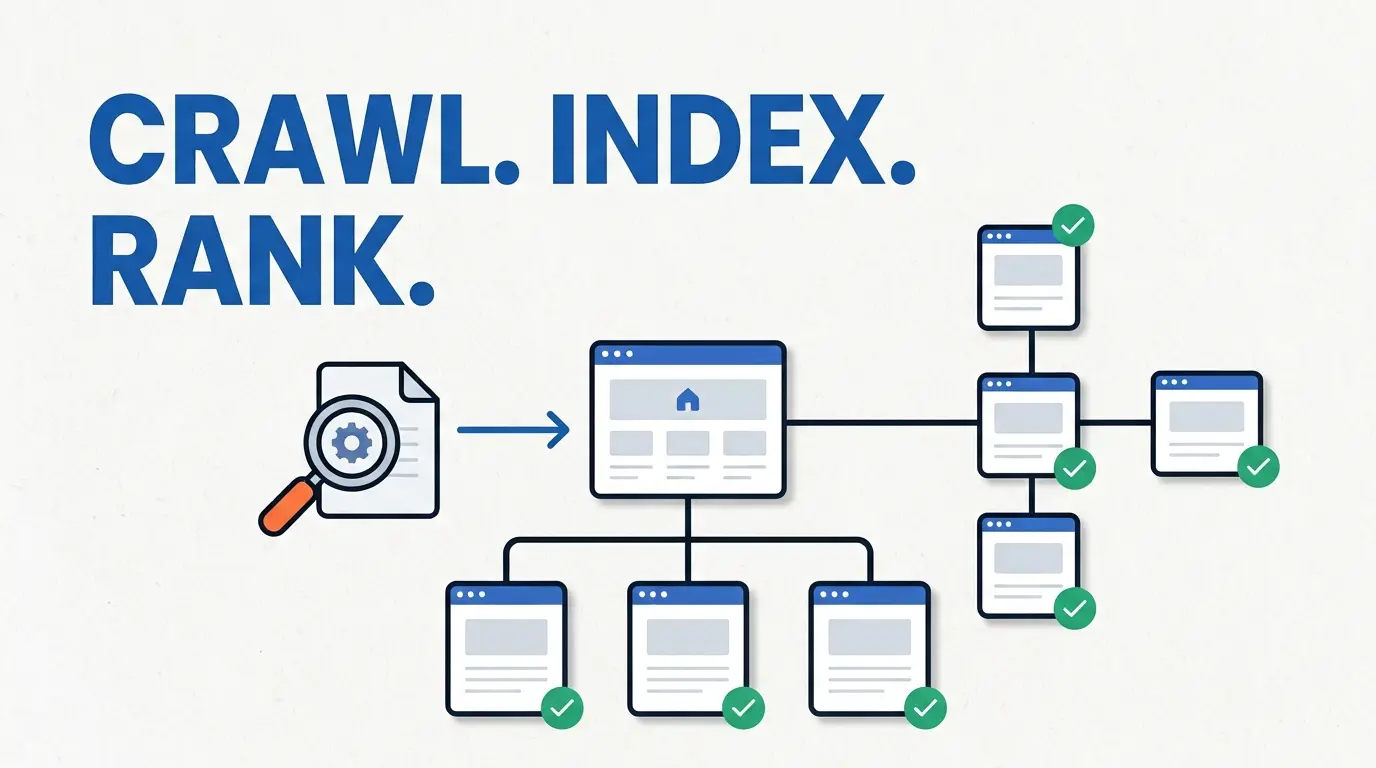
Technical SEO is the work of making a website accessible to search engines. It is the means of communicating to Search Engines how pages are discovered, crawled, rendered and indexed, It covers site structure and configuration in a way that Search Engines can easily access all content.
Technical SEO is one of the three main parts of SEO. It sits beside on-page SEO (content and page signals) and off-page SEO (links and outside signals). But it works on the layer below both. If Google can’t reach or read a page, the content quality doesn’t matter.
- Can Google crawl the URL?
- Can the page be indexed?
- If the same page has multiple URLs, which one is the main version?
- How are pages connected through internal links?
It doesn’t replace useful content or guarantee rankings. It removes technical roadblocks so good pages can be found and considered. A page must be crawlable and indexable to have any chance to rank. Once that base is in place, content and links usually make most of the difference.
How Google Crawls, Renders and Indexes a Website
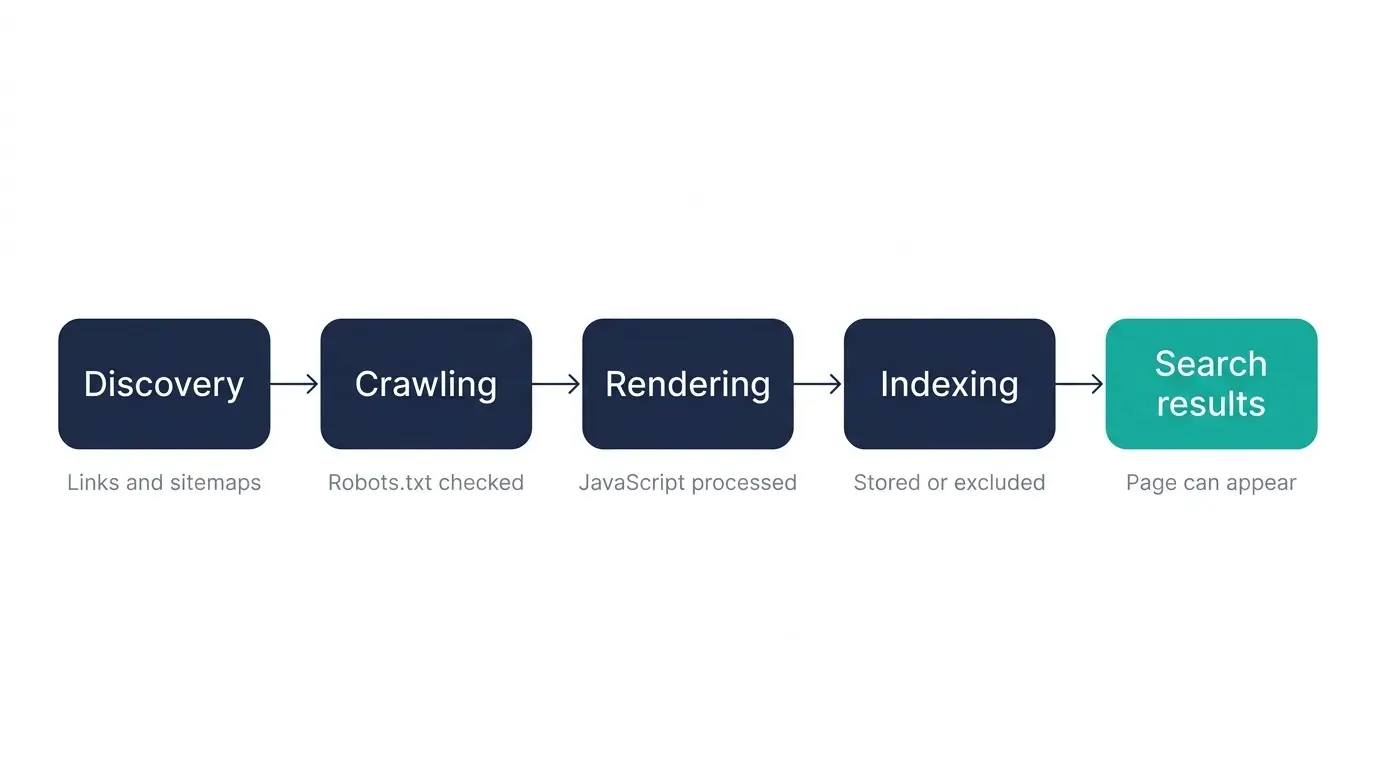
This is exact process in this order: discovery, crawling, rendering, indexing, and then serving results. Things might break at any step. So if you find which step is failed, you know exactly where to fix.
Crawling
Google finds most of URLs through links and sitemaps, then asks to visit them. Before visiting, Googlebot checks the site’s robots.txt file to see if it’s allowed and if the URL is not allowed, Googlebot skips it.
Rendering
Many pages use JavaScript to show content or links. Google puts these pages through crawling, rendering, and indexing. Googlebot lines them up for both crawling and rendering. But it won’t render JavaScript from blocked files or pages.
Indexing
After processing, Google decides whether to save the page in its index. Just because a page was crawled doesn’t mean it gets indexed. Things like duplicate signals, noindex tags, and other factors decide the outcome.
The Main Areas of Technical SEO
This is not a single-step process. It consists of several areas that can impact various stages of the process. The following areas are some of the more troublesome for most users.
| Area | What it affects | What to check |
|---|---|---|
| Crawlability | Discovery and access | Internal links, robots.txt, crawl paths |
| Indexability | Eligibility for indexing | noindex, canonicals, status codes |
| Site architecture | Discoverability and hierarchy | Structure, depth, hubs |
| Internal linking | Discovery and relationships | Important pages, anchor context |
| URL structure | Organisation and consistency | Clean, stable URLs |
| XML sitemaps | URL discovery support | Valid URLs, sitemap health |
| Canonicalization | Duplicate consolidation | Canonical signals |
| Redirects and status codes | URL handling | 3xx, 4xx, 5xx behaviour |
| JavaScript SEO | Rendering of content and links | Rendered HTML, JS-dependent elements |
| Performance | User and page experience | Core Web Vitals, mobile speed |
| Structured data | Content understanding, search features | Implementation and validation |
Crawlability: Can Search Engines Discover Your Pages?
A page only gets crawled if search engines can find it and are allowed to visit it. Two things control this: links and rules.
Internal links are how search engines find most pages in website. If an important page don’t have a links pointing to that page, it’s called an orphan page. Crawlers might not find it. An XML sitemap helps with discovery of links and it’s pages, but it’s no substitute for good internal linking.
Here’s the thing about robots.txt: it controls crawling (permissions what to access on website), not indexing. it just tells crawlers which URLs they can visit, mainly to stop them from crashing your site with too many requests. It’s not how you keep a page out of Google Crawling. Google may still index a blocked URL if other sites given that link. If that happens, the URL (and sometimes the link text) can show up in search results without a normal description.
A common beginner mistake is blocking a page in robots.txt by adding that URL to keep it out of search. That’s the wrong way. The right one is to use noindex tag. And the page has to stay crawlable so Google can actually see that tag. If robots.txt blocks the page, Google never sees the noindex rule.
For a deeper walkthrough, see the robots.txt guide and the XML
sitemap guide.
Indexability: Can Google Index the Page?
Just because a page can be crawled doesn’t mean Google will index it. A few signals decide whether a page becomes eligible for the index.
- noindex: a meta robots tag or HTTP header that asks search engines not to index the page.
- Canonical signals: tell Google which URL is the preferred version among duplicates.
- Status codes: the server response tells Googlebot whether a page exists, has moved or is
unavailable. - Redirects: a redirected URL points crawlers to a new destination, so the old URL is usually not
the one that gets indexed. - Soft 404s: pages that return a success code but show an error or empty page can be treated as
errors.
A canonical tag is a suggestion, not a command. Google’s documentation describes canonicalization as the process of picking the main URL from duplicates. You can choose your preferred URL , but Google might still choose a different page. Google calls a canonical tag a “strong signal” and adding it to a sitemap a “weak signal.” You don’t actually have to do either, because Google will pick a version if you don’t.
If an important page is crawled but not indexed, check these signals first, then look at duplication and page
quality. See how to fix indexing issues.
Site Architecture and Internal Linking
Site architecture is just how your pages are organized and linked together. When it’s clear, both people and search engines can easily tell which pages matter and how they connect to each other.
Good structure usually comes down to a few things. You want logical categories, hub pages that group related topics, and important pages that are only a few clicks from your homepage. Click depth is a good thing to watch here. If a page is buried too deep, it’s harder to find and easier to forget about.
Internal links do more than just connect pages. They also give context. The words you use in a link tell search engines and readers what the page is about. “Click here” tells them nothing sometimes looks as spam click.
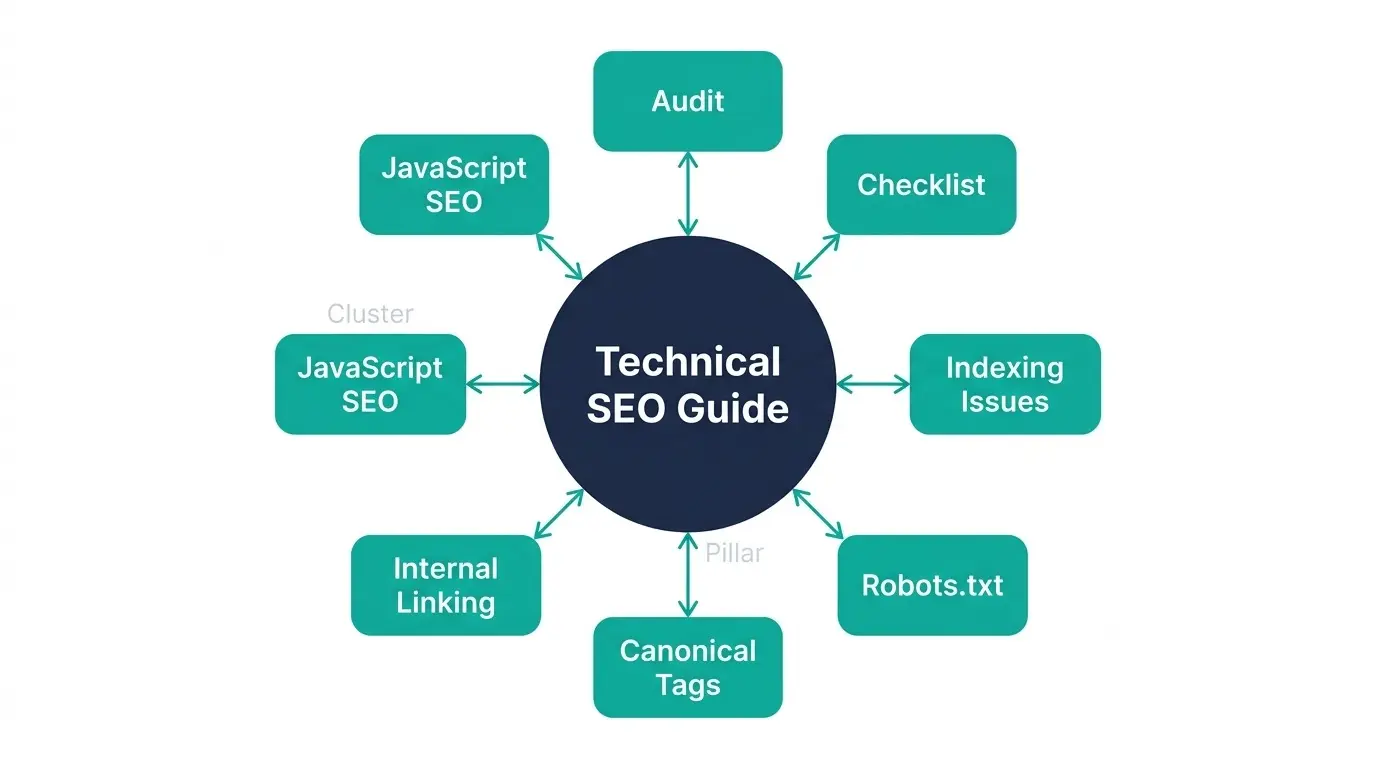
For more, see the internal linking guide.
URLs, Canonicals, Redirects and Status Codes
These elements decide how individual URLs behave.
- URL structure: keep URLs clean, consistent and stable. Changing them without redirects breaks
links and signals. - Canonical tags: point duplicate or near-duplicate URLs to the preferred version. Duplicates
commonly come from URL parameters, http and https variants, and trailing-slash differences. - Redirects: a permanent redirect signals a move. Redirect chains, where one URL hops through
several others, waste crawl effort and slow users. - Status codes: Google’s documentation recommends meaningful status codes, such as 404 for a page
that could not be found and 401 for pages behind a login. A 5xx error indicates a server problem.
Let’s say a product page is reachable at three different URLs, and none of them is clearly the main one. That splits your signals across all three. Pick one main URL, point the canonicals to it, and redirect the rest. Now everything points to one place.
JavaScript SEO and Rendering
JavaScript can affect what search engines receive. If key content or links only appear after JavaScript runs, they
depend on successful rendering.
Google states that it does run JavaScript, but that there are differences and limitations to account for when
designing pages. Server-side rendering delivers content in the initial HTML. Client-side rendering builds it in the
browser. Both can work, but client-side setups have more points of failure.
JavaScript does not automatically make a site hard to index. The risk is in specific
implementation choices. Common problems include:
- links that are not real anchor elements with an href attribute, since Googlebot discovers links through the href
attribute of HTML links - important content that appears only after a user interaction
- JavaScript files or pages blocked from crawling, which Google will not render
Google’s documentation also treats dynamic rendering as a deprecated workaround, not a recommended long-term
solution. To check a page, compare the raw HTML to the rendered HTML, and use the URL Inspection tool to see what
Googlebot received.
See the JavaScript SEO guide for a full walkthrough.
Core Web Vitals and Technical Performance
Core Web Vitals measure real user experience through three metrics. Per web.dev, the “good” thresholds are:
| Metric | What it measures | Good threshold |
|---|---|---|
| LCP (Largest Contentful Paint) | Loading performance | 2.5 seconds or less |
| INP (Interaction to Next Paint) | Responsiveness | 200 milliseconds or less |
| CLS (Cumulative Layout Shift) | Visual stability | 0.1 or less |
These are measured at the 75th percentile of real page loads, segmented across mobile and desktop. INP replaced
First Input Delay as a Core Web Vital in March 2024.
Mobile performance deserves separate attention because mobile conditions are often the harder test. Performance is
one part of technical SEO, not the whole of it. A fast page that cannot be indexed still gets no search visibility.
See the Core Web Vitals guide.
How to Perform a Technical SEO Audit
An audit is a process of checking each area in a sensible order:
- Crawl the site.
- Review indexation and important URL states.
- Check architecture and internal linking.
- Review robots.txt and XML sitemaps.
- Investigate canonicals and duplicate URLs.
- Check redirects, 4xx and 5xx issues.
- Inspect JavaScript and rendering problems.
- Review Core Web Vitals and performance.
- Validate structured data where relevant.
- Prioritise findings.
Google Search Console, Screaming Frog and PageSpeed Insights cover most of these steps. For the full process, see
the technical SEO audit guide.
Common Technical SEO Problems: Symptom, Cause, What to Check
| Symptom | Likely cause | What to investigate |
|---|---|---|
| Important page not indexed | noindex, canonical, weak discovery, other indexing factors | URL Inspection and page signals |
| Page cannot be crawled | robots.txt or access issue | robots.txt and server response |
| “Indexed, though blocked by robots.txt” | Disallowed URL discovered through links elsewhere | Where the URL is linked; use noindex if it must stay out |
| Wrong URL indexed | Duplicate or canonical signals | Canonical, internal links, URL Inspection |
| Many orphan pages | Weak internal linking | Crawl and site architecture |
| Redirect chain | Multiple URL hops | Redirect mapping |
| Unexpected 404s | Broken or deleted URLs | Internal and external references |
| Sitemap contains bad URLs | Stale or incorrect sitemap | Sitemap validation |
| Content missing after rendering | JavaScript-dependent implementation | Rendered HTML testing |
| Poor Core Web Vitals | Heavy resources, layout shifts, server delays | PageSpeed Insights and field data |
A short summary checklist:
- Important pages are crawlable.
- Important pages are indexable.
- Internal links expose key pages.
- Canonical signals are consistent.
- XML sitemap URLs are valid.
- Critical rendering and performance problems are understood.
For the full version, see the technical SEO checklist.
How to Prioritise Technical SEO Issues
Not every issue deserves immediate work. A practical way to rank them is to weigh impact, severity and business
importance against the effort needed to fix them.
Impact × Severity × Business importance, weighed against Effort.
| Issue | Impact | Priority |
|---|---|---|
| Important conversion page blocked from indexing | Very high | Immediate |
| Wrong canonical on key pages | High | High |
| Sitewide internal-link problem hiding key pages | High | High |
| Isolated minor issue on a low-value page | Low | Low |
The point is to fix what affects visibility and business results first, not to clear every warning in a tool
report.
Conclusion
Technical SEO is the foundation that lets search engines access, process, understand and consolidate a website. It
is not a single task but a set of connected areas, and problems can appear at any stage from crawling to indexing.
Start with the basics: can important pages be found, crawled and indexed. Then work outward to architecture,
rendering and performance.
Need Help Finding Technical SEO Problems?
If you want an expert review of your site’s crawling, indexing, architecture and performance, explore the Technical SEO service or see the SEO case
studies.