First, Confirm: Is Your Page Really Not Indexed?
Before making changes to robots.txt or requesting indexing, double check your status.
One of the quickest ways to check is to perform a site search. To do this, open a Private or Incognito window and search for the site:yourdomain.com/your-page. If your page shows up in the search, then it is indexed. The issue is most likely with your page ranking. Ranking and indexing are two different things, and have different way of solutions. Many website owners believe their pages are not indexed by the search engines, when in reality, their pages rank just lower than expected.
If it is not appearing in a site: search, use Google’s Search Console’s URL Inspection tool as your last resort. Put in the full, formal URL and read the coverage verdict. The difference between “Discovered – currently not indexed” and “Crawled – currently not indexed” makes a world of difference with the diagnostics that follow.
Search Console Indexing Issues for a deeper walkthrough of the Page Indexing report.
Google Search Console: Page Indexing Report – official reference for coverage states.
Crawling, Indexing and Ranking Are Not the Same Problem
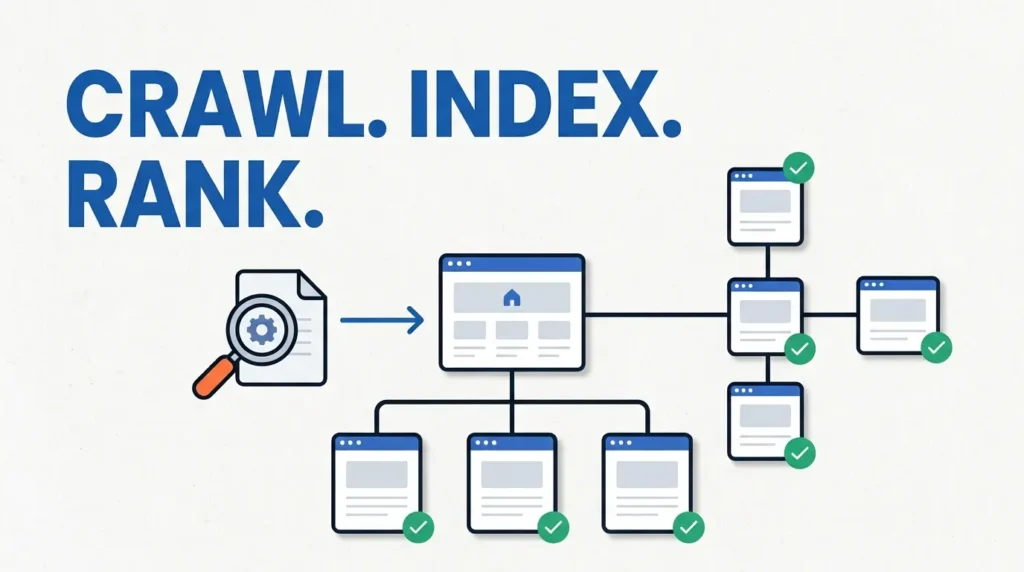
These stages make up a pipeline. A failure at any one results in the same symptom, “my page isn’t on Google”, but the cause and the solution are different for each.
Crawling is the discovery and download stage. Google bot discovers a URL via links or a sitemap, and then fetches and renders the page. If crawling is the stage that fails, then Google will never see your content.
Indexing is the storage and evaluation stage. After crawling, Google decides if the page deserves a spot in its searchable database. Most problems where a page is “not indexed” happen at this stage. There are a number of reasons Google might take a pass and decide not to index a page. Some of these reasons might include the page is thin in content or is a duplicate page. Also, Googlebot might have chosen a different canonical URL.
Finally, Ranking is the stage where a page that is indexed is placed in the search engine results page (SERP). Problems that happen at this stage are not problems at the indexing stage.
A useful mental model: crawling is “can Google get in?”, indexing is “does Google want to keep it?”, ranking is “where does Google put it?”
Google Search Central: Crawling and Indexing Overview – the pipeline from discovery to serving.
Technical SEO Guide – for the full crawl-render-index workflow and how each stage connects.
Common Causes, Grouped by Failure Stage
Technical Blocks: Google Can’t Get In
robots.txt blocking. A robots.txt A rule in robots.txt can block Googlebot from crawling a URL. It is important to note that robots.txt does not remove a page from the index, it only blocks crawling. To remove a page from the index, a noindex directive is required.
noindex directives. A <meta name="robots" content="noindex"> tag or an X-Robots-Tag: noindex HTTP header tells Google not to index the page. This is the most definitive indexing block. GSC reports the page as “Excluded by ‘noindex’ tag.” These are often left in place accidentally after a site migration or staging-to-production push.
Server errors (5xx). Googlebot is not able to access a URL that returns a server error or a timeout. Pages that take too long to load will eventually time out and be abandoned by Google.
Redirect Googlebot follows redirects, but will usually only follow 10 redirect hops. Beyond that, the crawl budget is wasted, and Google may stop crawling before the final URL.
Soft 404s. Pages that return an HTTP status code of 200 but contain “not found” or other placeholder content. Google considers these pages to be a soft 404 and will not index them.
Robots.txt vs Noindex (to be made) for the critical difference between blocking crawling and blocking indexing.
Google Search Central: Robots.txt Introduction – what robots.txt can and cannot do.
Content Quality Issues: Google Crawled but Didn’t Want It
In most cases when you see “Crawled – currently not indexed,” this is the reason. Google visited the page and made a judgement about quality.
In 2026, a Google Search Central presenter spoke about AI and content. The barrier to creating content has been lowered, and, in order for Google to want to index something, it needs to capture a person’s lived experience and unique knowledge (E-E-A-T), it stands for Experience, Expertise, Authoritativeness, and Trustworthiness. When a multitude of pages covers a topic and a search, Google may determine your page is not going to be useful to a user, therefore they may exclude it.
Thin content. Content that does not go above and beyond. Pages that do not provide a unique value, i.e. templated pages, near empty category pages, pages that just paraphrase content, are typically excluded.
Duplicate and near-duplicate content. In cases where a domain contains multiple equivalent pages, Google will decide on one canonical page, and exclude the rest. GSC reports excluded pages as “Duplicate, Google chose different canonical than user.”
Low-value pages that exist by accident. Author archive pages, tag archives, internal searches, paginated search results, and other pages that do not serve a user search function, are typically excluded.
Canonical Selection: Google Chose a Different URL
A self-referencing canonical tag tells Google “this page is the original, index this one.” When a canonical tag is missing or incorrect due to misconfiguration of the CMS or hard-coded canonical tags, merging of signals occurs, and Google merges them into a different URL.
In the GSC URL inspection tool, the “Google-selected canonical” field shows what URL Google thinks is the canonical version. If the URL differs from what is being inspected, that is the reason for the exclusion.
Technical SEO Guide:Canonicalization section – for the broader canonical signals framework.
Diagnosis Workflow: Using GSC URL Inspection
The URL Inspection tool is your primary diagnostic instrument. Here is the decision path.
Step 1: Paste the URL and read the coverage verdict.
- “URL is not on Google” → proceed to Step 2.
- “Crawled – currently not indexed” → skip to Step 4 (content quality).
- “Discovered – currently not indexed” → skip to Step 3 (crawl demand).
Step 2: Check for technical blocks.
In the URL Inspection panel, expand “Coverage” and look for:
robots.txt: is the URL blocked?noindex: is the page excluded by a meta tag or HTTP header?- HTTP status: is the server returning a 5xx error?
If any of these are present, fix them first. Then request indexing.
Step 3: Diagnose “Discovered – currently not indexed.”
This status usually means Google has not allocated crawl resources. The page may be new, poorly linked, or on a site with limited crawl demand. Google explicitly advises against repeatedly resubmitting the URL. Instead:
- Add internal links from high-authority pages on your site.
- Ensure the URL appears in your XML sitemap.
- Improve site-level crawl efficiency by removing redirect chains and soft 404s.
- Wait. New sites and new pages can take days or weeks.
Step 4: Diagnose “Crawled – currently not indexed.”
This is a quality signal. Google crawled the page and decided not to index it. Before requesting indexing, ask:
- Does this page contain unique, substantial content?
- Does it duplicate another page on the site or elsewhere?
- Is the content primarily templated or auto-generated?
- Does the page meet a clear search intent?
If the answer to any of those is “no,” the fix is content improvement, not technical adjustment. Google’s guidance is clear: indexing requests for low-quality pages are unlikely to succeed.
Step 5: Only after a fix, request indexing.
Use the “Request Indexing” button in the URL Inspection tool. This does not guarantee indexing, it asks Google to re-evaluate the URL. If the underlying quality issue remains, the request will not change the outcome.
Technical SEO Guide: How to Perform a Technical SEO Audit – for the full audit sequence that this diagnostic step fits into.
Separate the Three Types of “Not Indexed”
Not every page that has been excluded requires fixing. The last step in the diagnosis process is determining the type of exclusion.
Technical exclusion is always a bug. robots.txt blocks, noindex directives, server errors, and redirect loops should be fixed. These are configuration errors, not editorial decisions.
Content-quality exclusion is signal that page is excluded due to content-quality issues, Google is saying that page is not worthy to be included. The solution is to improve the page or consolidate it with a stronger page. A quality issues judgment is not overridden by requesting a recrawl.
Intentional exclusion is correct behaviour. When exclusions are done intentionally, like with page results filters and sorts, or page archives by tags, Google will report that as “excluded by ‘noindex’ tag” or “duplicate.” It is your job to verify these exclusions, not force indexing.